Growth Stages Artwork
The Art Pipeline
It's almost been a month since I started, and I'm making slow but steady progress. Yo!
Today I'm going to share one of the game's most important parts: the assets. Since this is a plant game, the main asset is obviously... plants. My initial ambitious plan was to include at least 5 different plant species, but after spending 50+ hours on a single plant and only completing a small portion of the total work, I realized: OK, let's start with 1 plant and add others later. You know, this isn't just a simple "water to grow" game—it's... yeah, something more interesting. So today I'm going to show you what I've been spending all these hours on.
Primary tool: Aseprite - I think you all know what it is, but in case you don't, it's pixel art editing software. I bought it for $19 (permanent license), and it's more than good enough and powerful enough for this project.
Secondary tool: I have to confess that I'm a complete beginner at artwork with zero experience. My main method involved using Google's Flow with Nano Banana Pro. I tried so many iterations to get the right color tone and pixel art style—for example, the pixels can't be too small, but they also can't be too detailed. So I spent quite a long time deciding on the style and level of detail. You know, for a level-0 painter like me, it's really a helpful tool, especially since it costs zero tokens to generate (though with limited daily attempts). I tried around 20 samples each day, and finally I figured out the optimal resolution should be 700 x 1000px.
Procedure
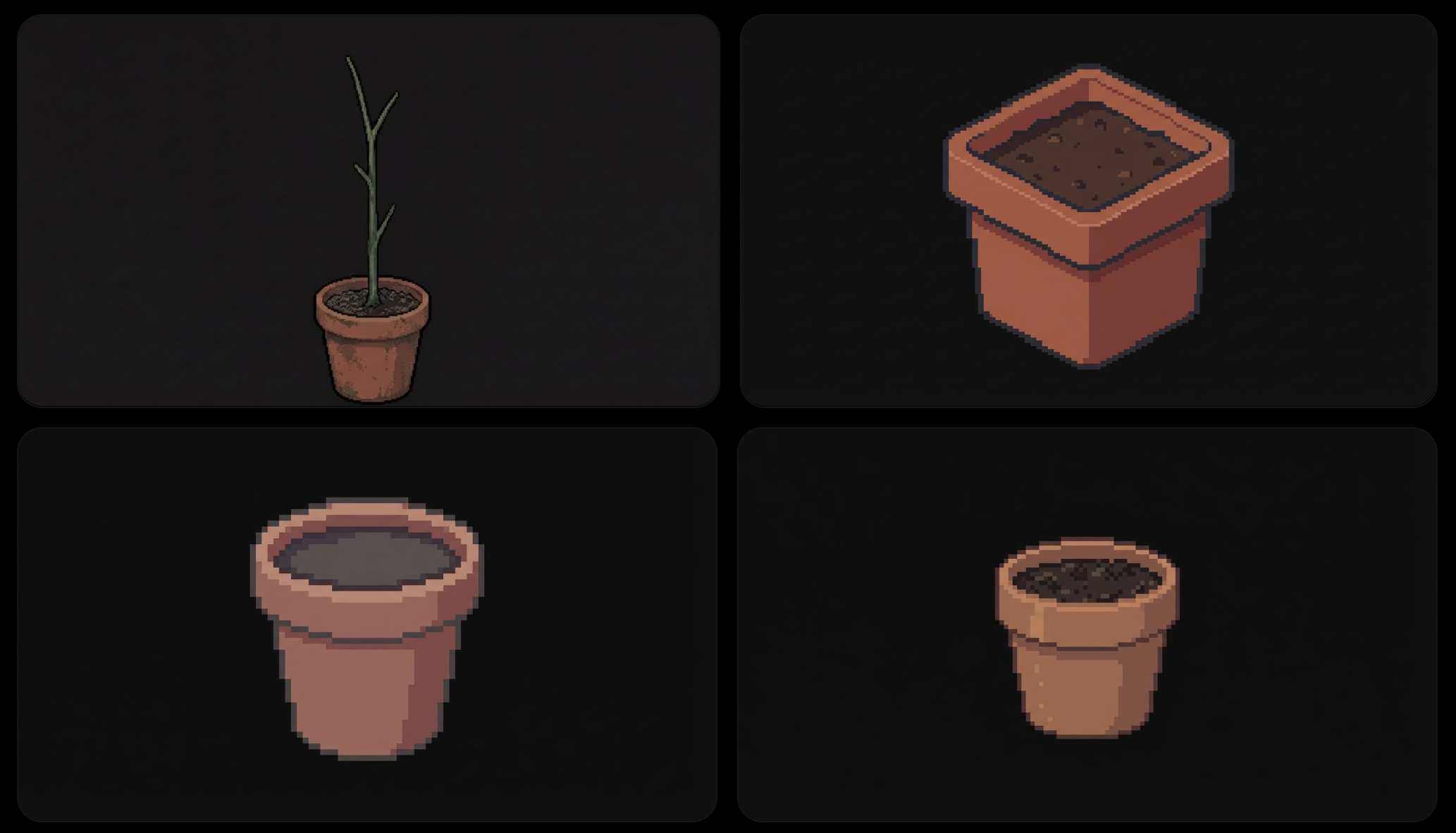
At the very beginning, I did try to draw from scratch. The pot was still manageable since it's simple and geometrically regular, but when I reached the leaves, it killed me—they're too complicated with too many perspectives to draw. It would've taken at least 10x the time I'm spending now. I gave up immediately.
So my main procedure became this: First, I planned to have around 30 growth stages in total, from seed to fruit. I asked the AI to generate every single stage, and actually, it wasn't that bad—it completed the task quite well in terms of simplicity and completeness.
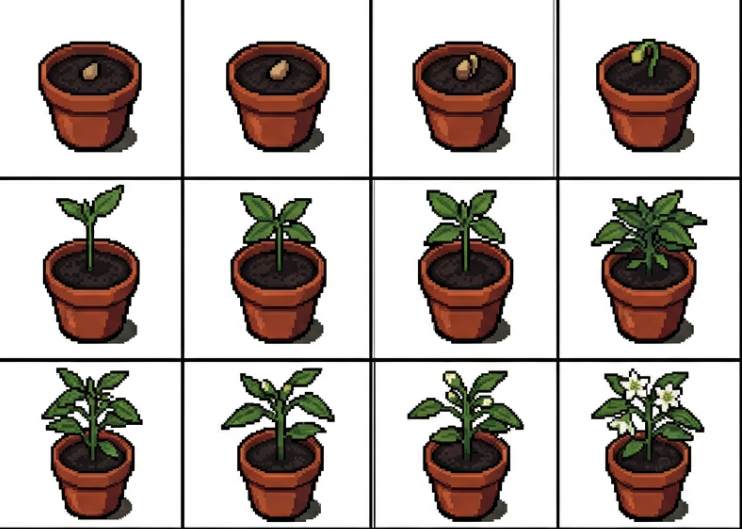
The consistency was good. As you can see, the leaves and flowers maintain the same position. But there was one problem: the pixels were too loose for me, and the level of detail didn't match my vision. Then I tried another approach, asking it to create the same growth sheet with much finer pixels. The result was:
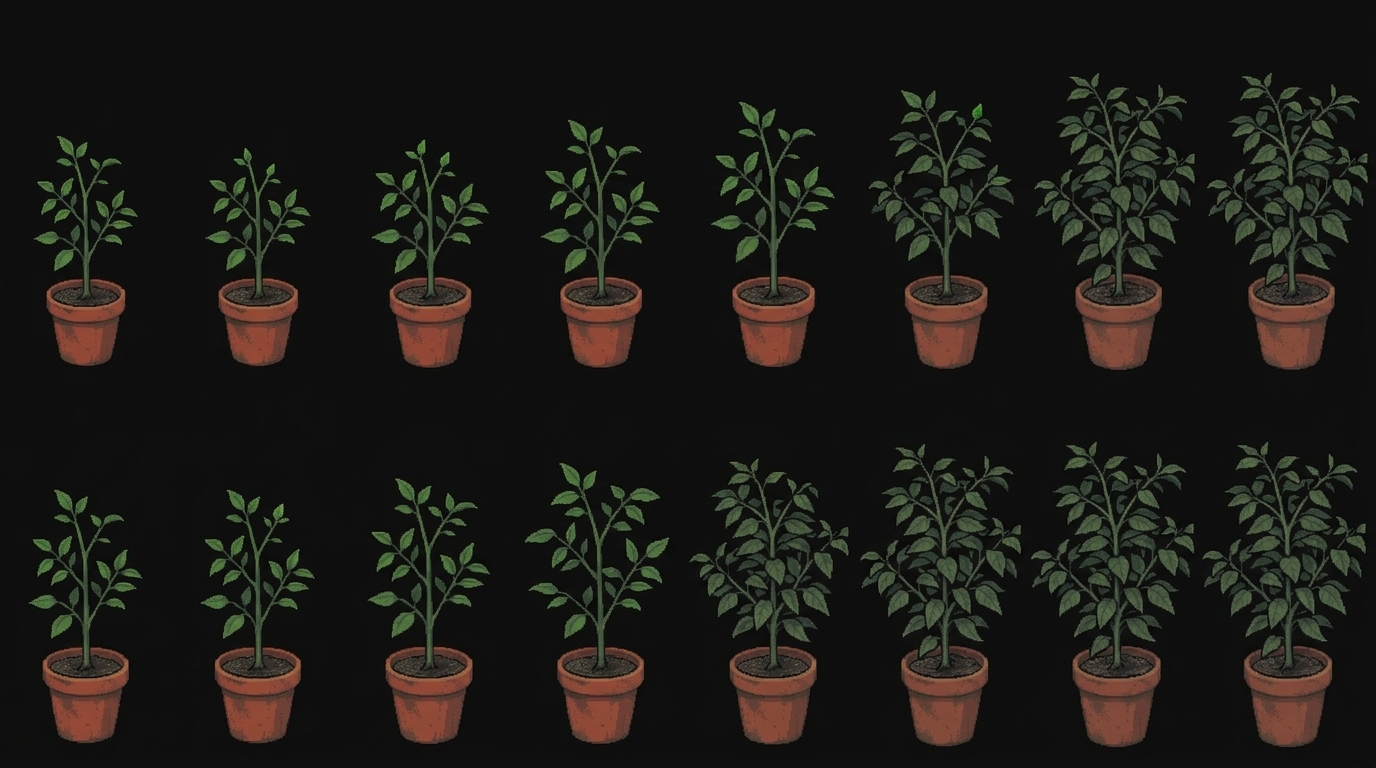
Now you understand the problem? When each individual plant is too detailed, it can't maintain consistency. As you can see, at first glance it provides 16 stages, but when you look closely, there are only 5 actual stages—the others are just replicates. I tried another very simple method: I cropped out 2 individual plants and then asked it to generate the stages in between. Yeah! It's smart, and I got results!
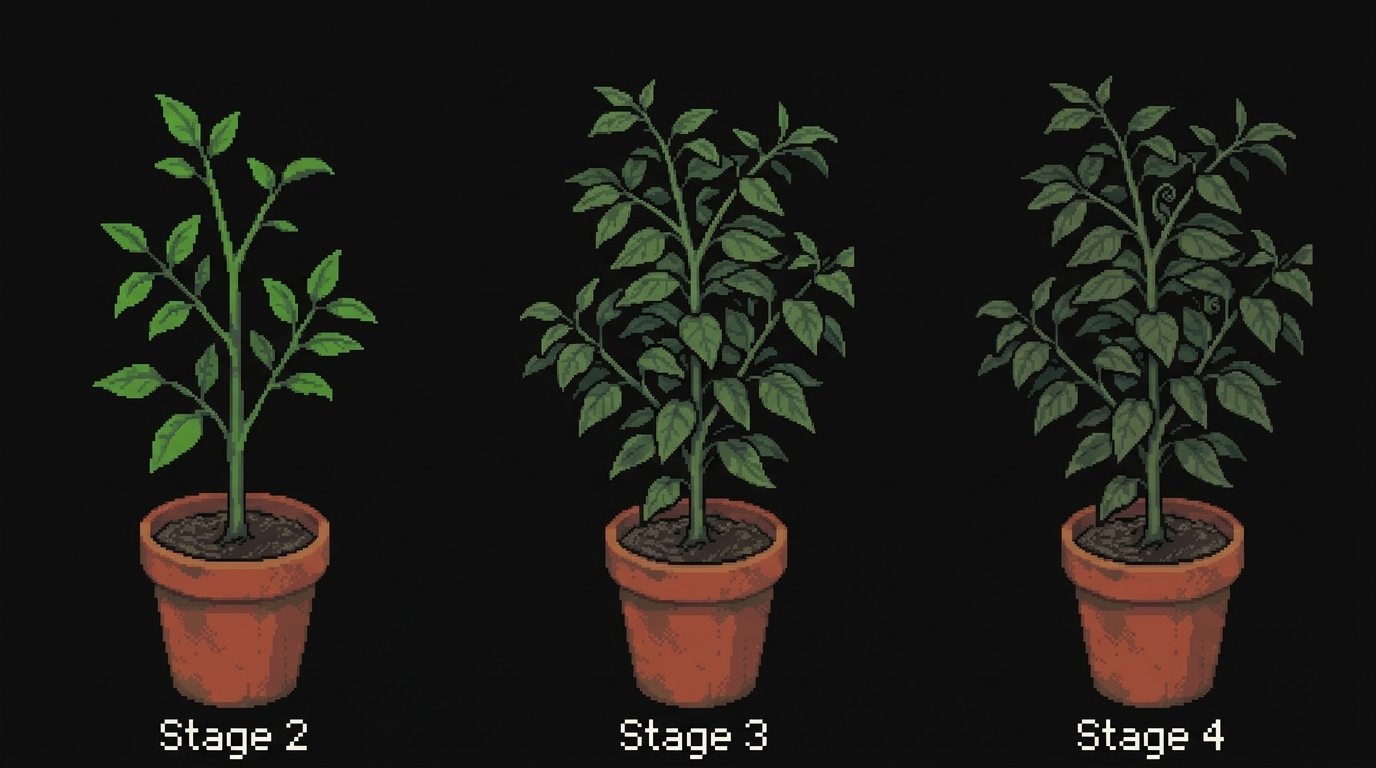
However, a dead end came quickly. When I used the AI-generated images to generate more images, the pixels and resolution became increasingly inconsistent, and even the pot color changed slightly. AI is not good at detail control. After a few more days of trying, what I did was select several key milestone images from the 200+ generated images. Then I imported them into Aseprite and manually added, removed, extended, and adjusted the branches, stems, flowers, and fruits. I went frame by frame—if not pixel by pixel—to create each stage image by hand. I discovered I'm a good polisher, despite being a terrible painter!
One more thing before you see my 50+ hours timelapse of handwork: AI can't generate transparent background images properly. When I asked it to give me different leaf shapes with transparent backgrounds, it gave me this:

The problem is it pretended the background was transparent, but it actually wasn't. I had to manually trace and select the edges by hand. Surprisingly, I'm quite happy doing this cleanup work.
Timelapse of the whole process
I separated the pot, seed, water, leaves, flowers, and fruit into different layers—pretty basic workflow, right? This made everything more manageable. I can easily modify something in specific layers without interfering with others. And it'll be crucial for later game development steps—for example, making flowers disappear at the scripting level will be much easier. I hope I'll get to that step eventually! After this long dirty works, I finally have around 50 still images organized in different layers. Yeah! I'm the king of the......no, I'm just a school level game developer.
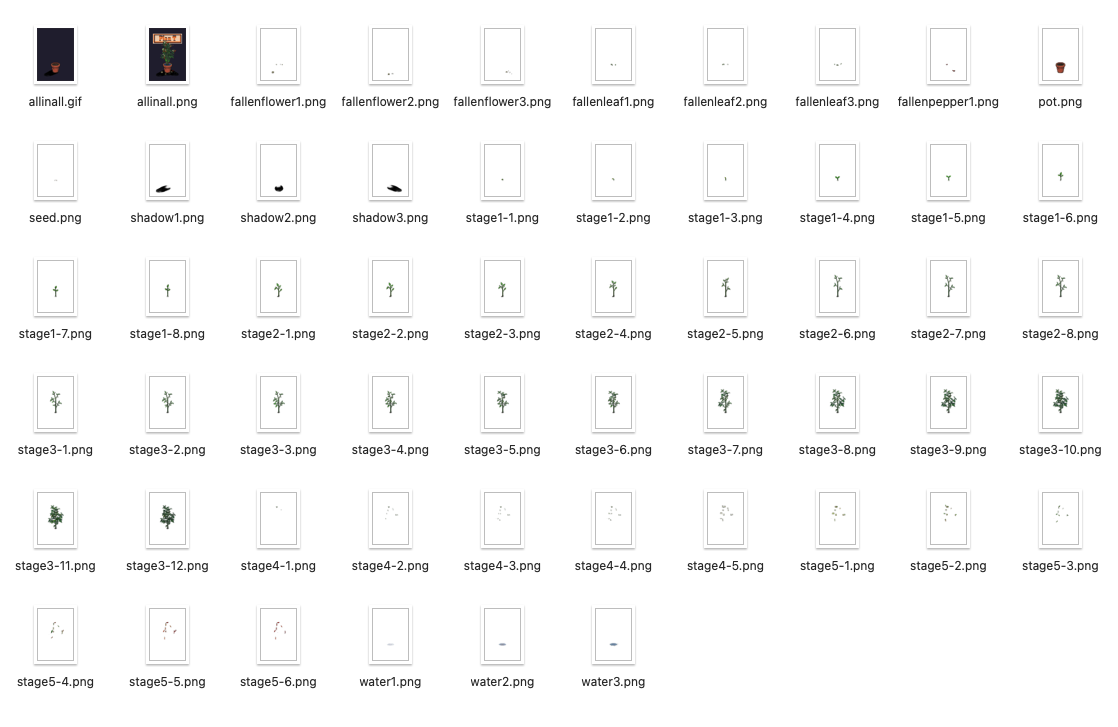
After all that work, this is what I got:
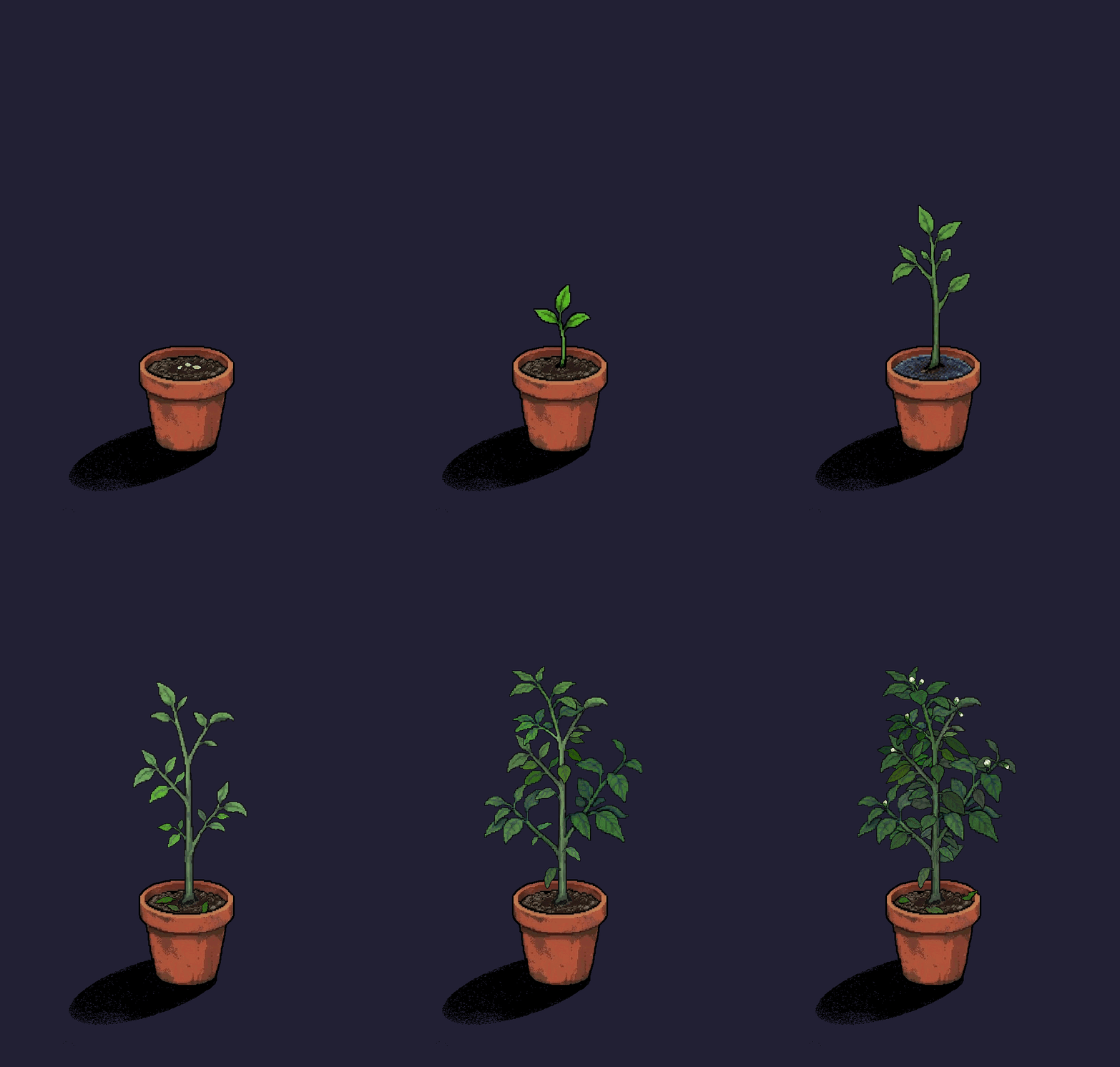
That's it. Maybe I'll share more assets apart from plants later.
Sneak peek: